Retro Multy Program

RETRO●MULTYDIGITAL SIGNAL PROCESSOR · RMP-1000
VOLUME
MP3 -01 ▶P-TIME 00'00
FREE · WINDOWS 10 / 11 (64-BIT) · NOTHING ELSE TO INSTALL

A car-stereo music player, a radio designer, a retro photo & video editor, car gauges for your PC and more. One small launcher installs them, keeps them updated and opens them.

Retro Multy Program

One launcher for everything

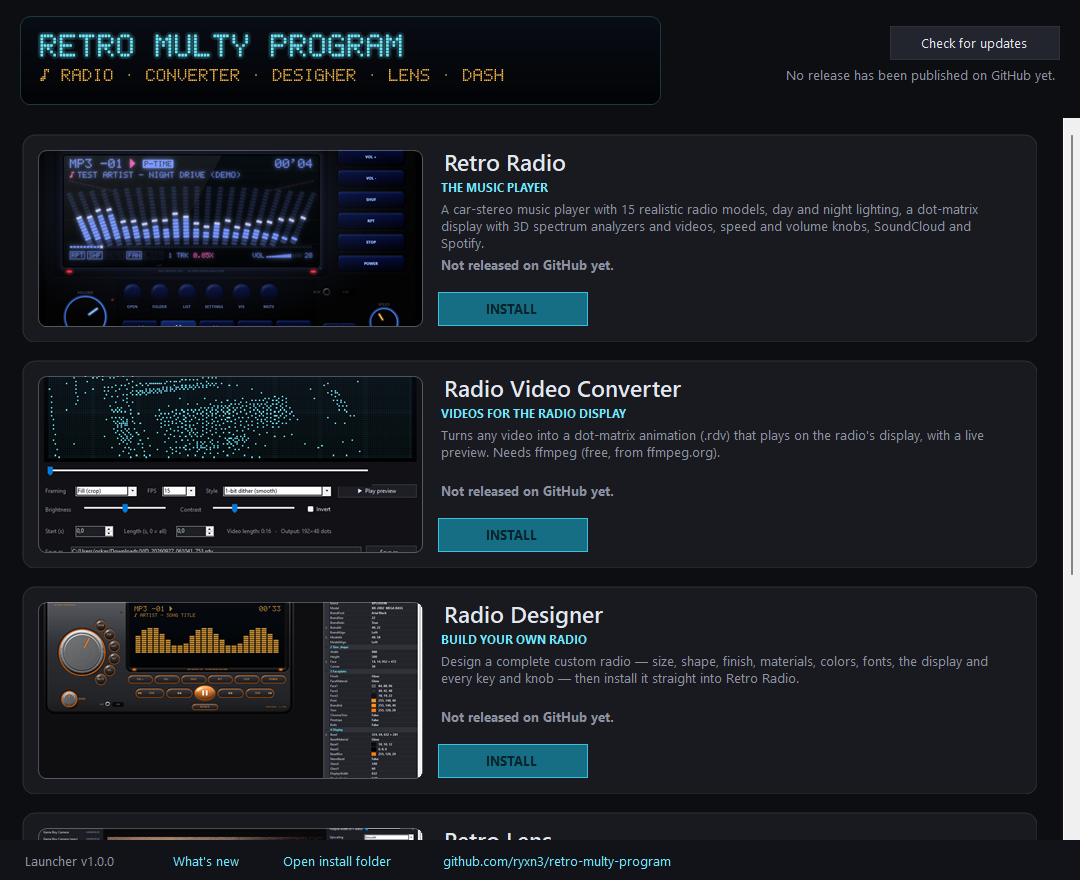
Download the launcher once. It shows every program with pictures, installs the ones you want with one click and tells you when there's an update.

  • Installs straight from the official GitHub releases
  • Checks for updates to every program, and to itself
  • Opens, updates or removes programs from one window
  • New programs show up automatically when they're released
The Retro Multy Program launcher listing the programs with Install buttons
RMP COLOR MONITORPOWER
The programs

Pick what you like, or get them all

Each program works on its own, and they work together. Videos from the converter play on the radio, the designer builds new radios for it, and the dash shows what the radio is playing.

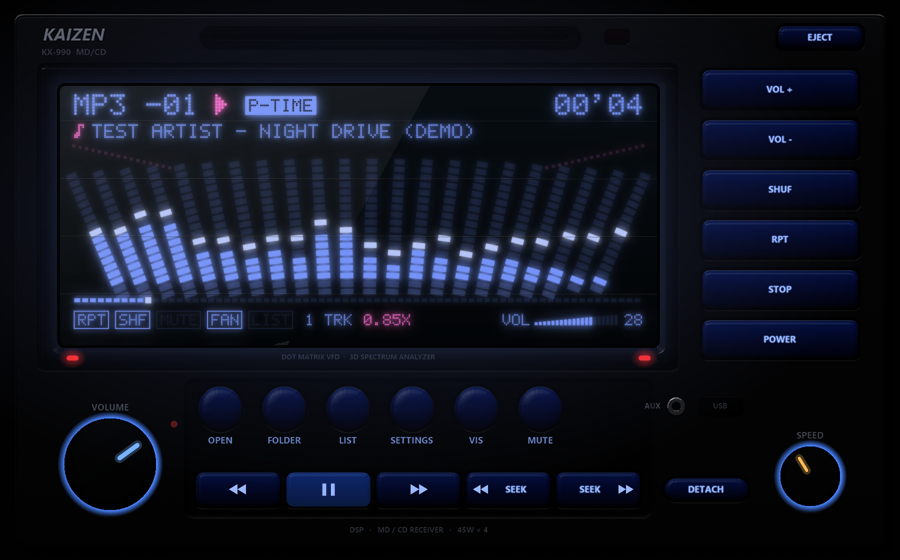
Retro Radio showing a dot-matrix spectrum analyzer on a car stereo
RETRO RADIOCH 01
The music player

A car-stereo music player with a glowing dot-matrix display, spectrum analyzers, P-TIME, a volume wedge and knobs you can turn. It plays your music files, SoundCloud and Spotify, with synced lyrics.

  • 39 radio models
  • Modern screens with album art
  • Day & night lighting
  • EQ, crossfade & reverb
  • Internet radio
  • Spotify & SoundCloud
  • Synced lyrics
  • JDM voice & sounds
  • 8 languages
RETRO DASHCH 02
Car gauges for your PC

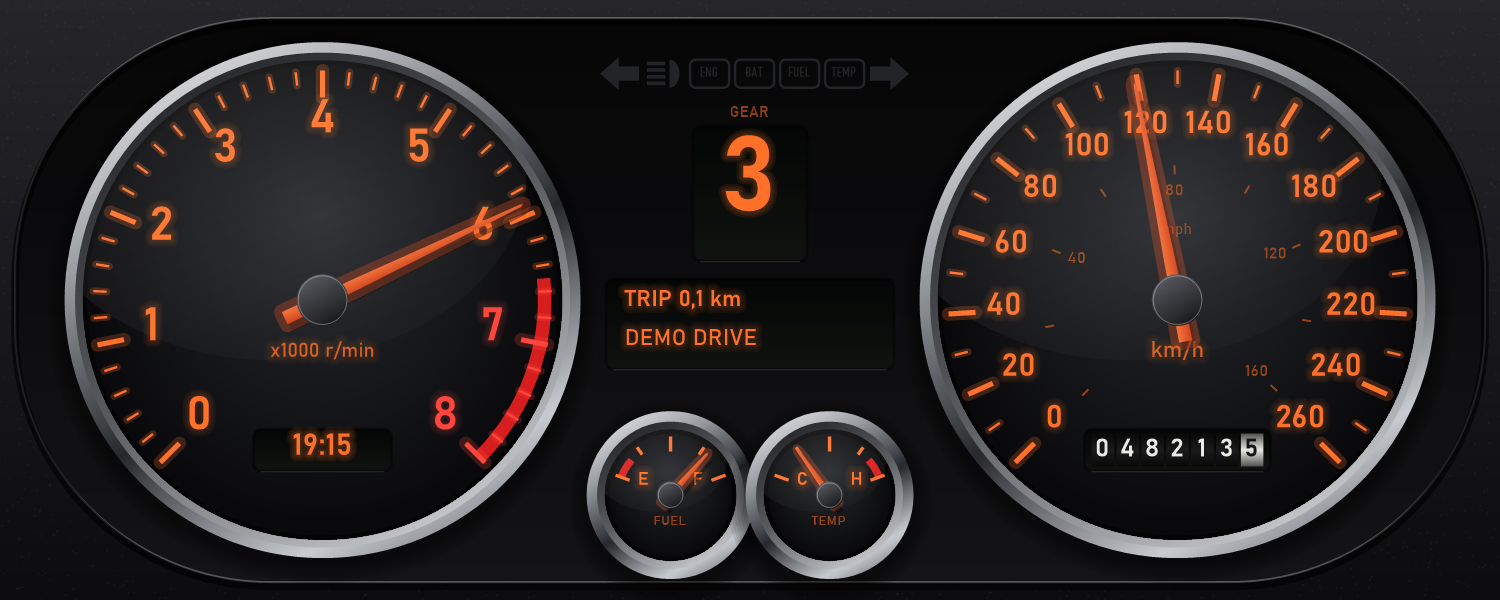
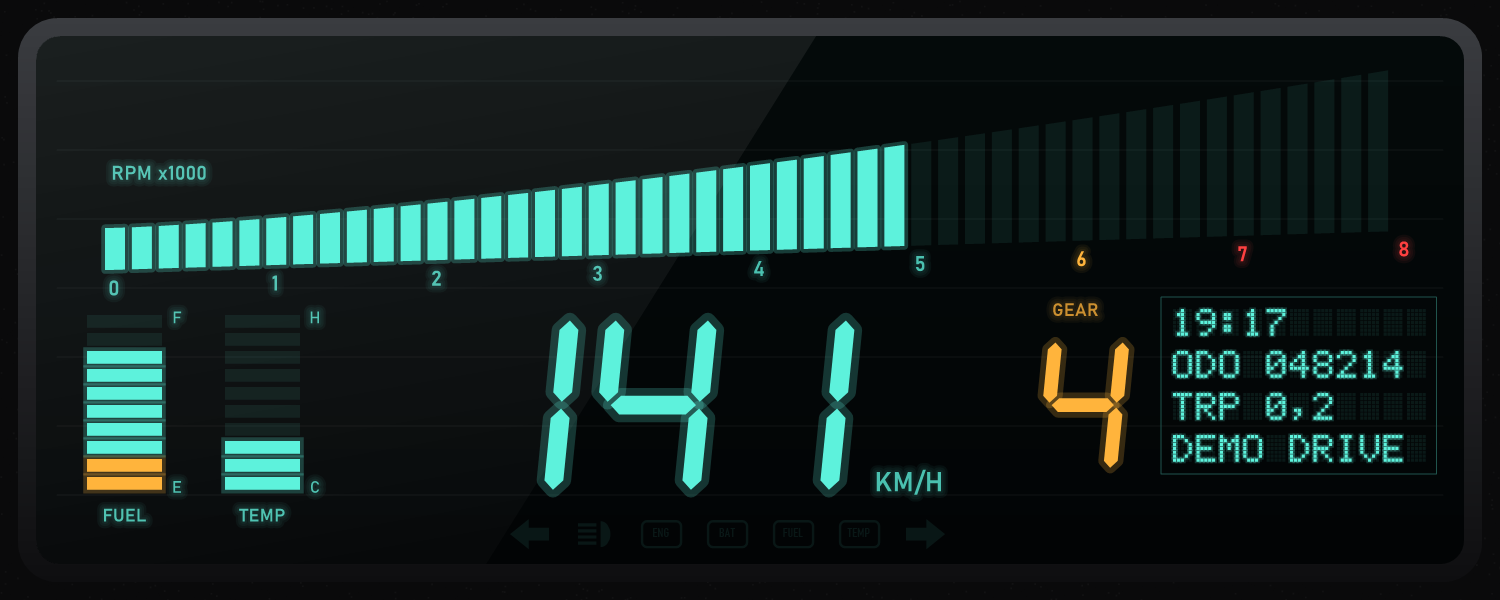
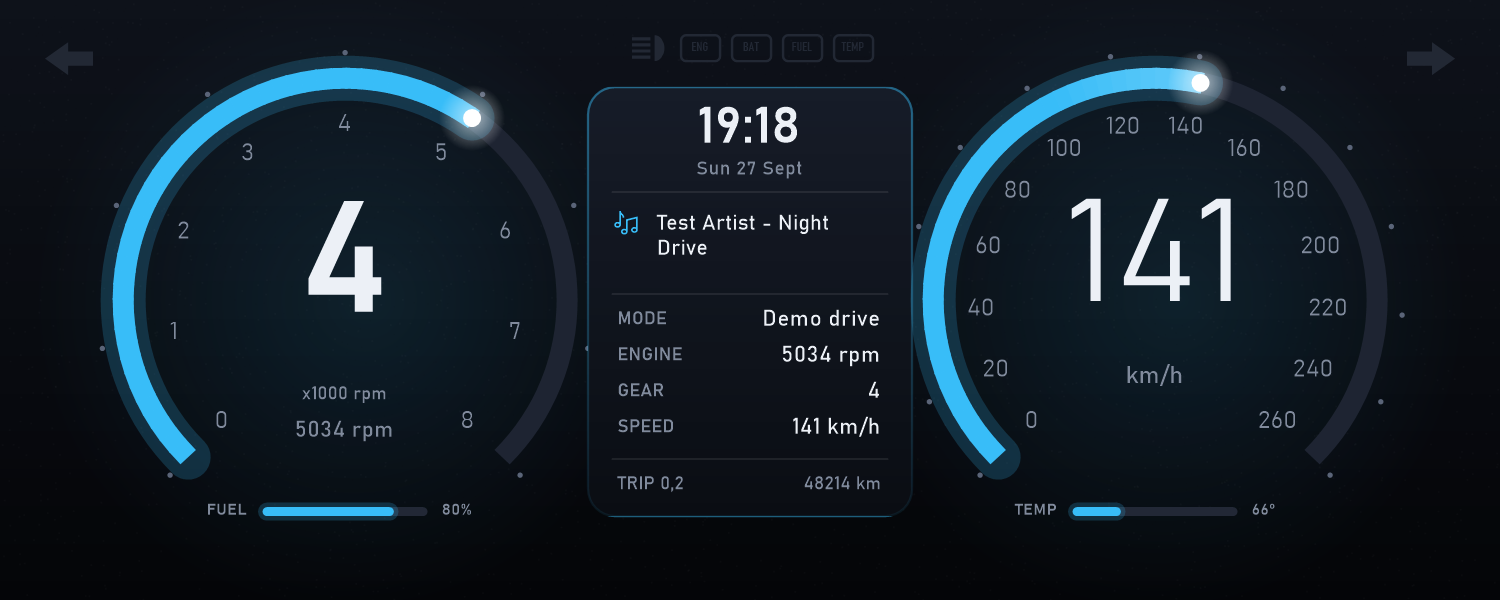
A car instrument cluster driven by your computer. CPU load revs the tachometer, network speed moves the speedometer, memory is your fuel, and the odometer counts every megabyte.

  • 80s digital, analog & modern
  • Needle sweep on start
  • Warning lamps
  • Demo drive
  • Shows Retro Radio's song
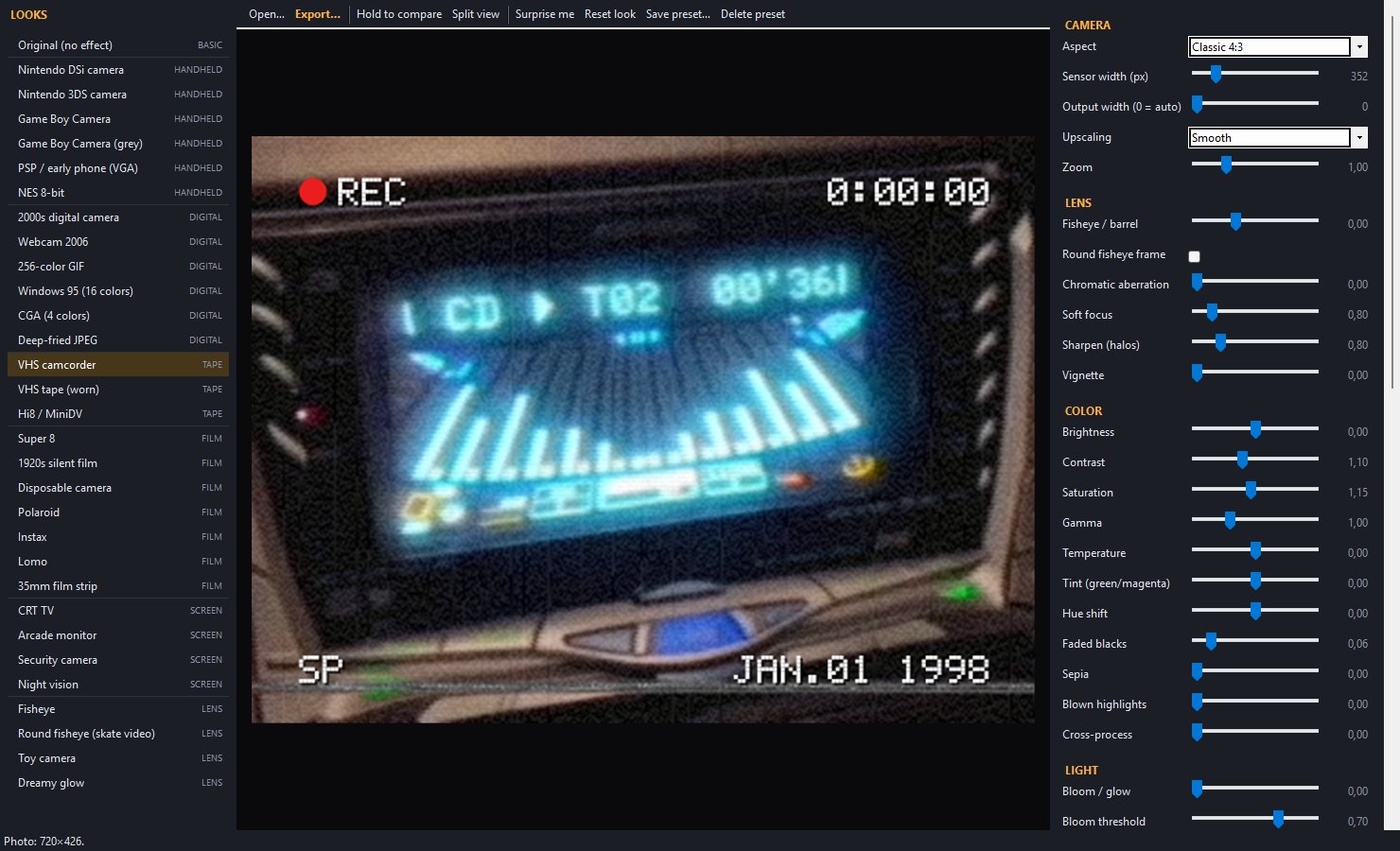
Retro Lens editor with a list of camera looks grouped by brand
RETRO LENSCH 03
Retro photo & video editor

Make photos and videos look like they came from a Nintendo DSi, a Game Boy Camera, a VHS camcorder, Super 8, a Polaroid or an old Sony digicam, with 80+ looks sorted by style and brand.

  • 80+ looks
  • 40+ settings
  • Fisheye
  • VHS & CRT
  • Your own presets
  • MP4 & GIF export
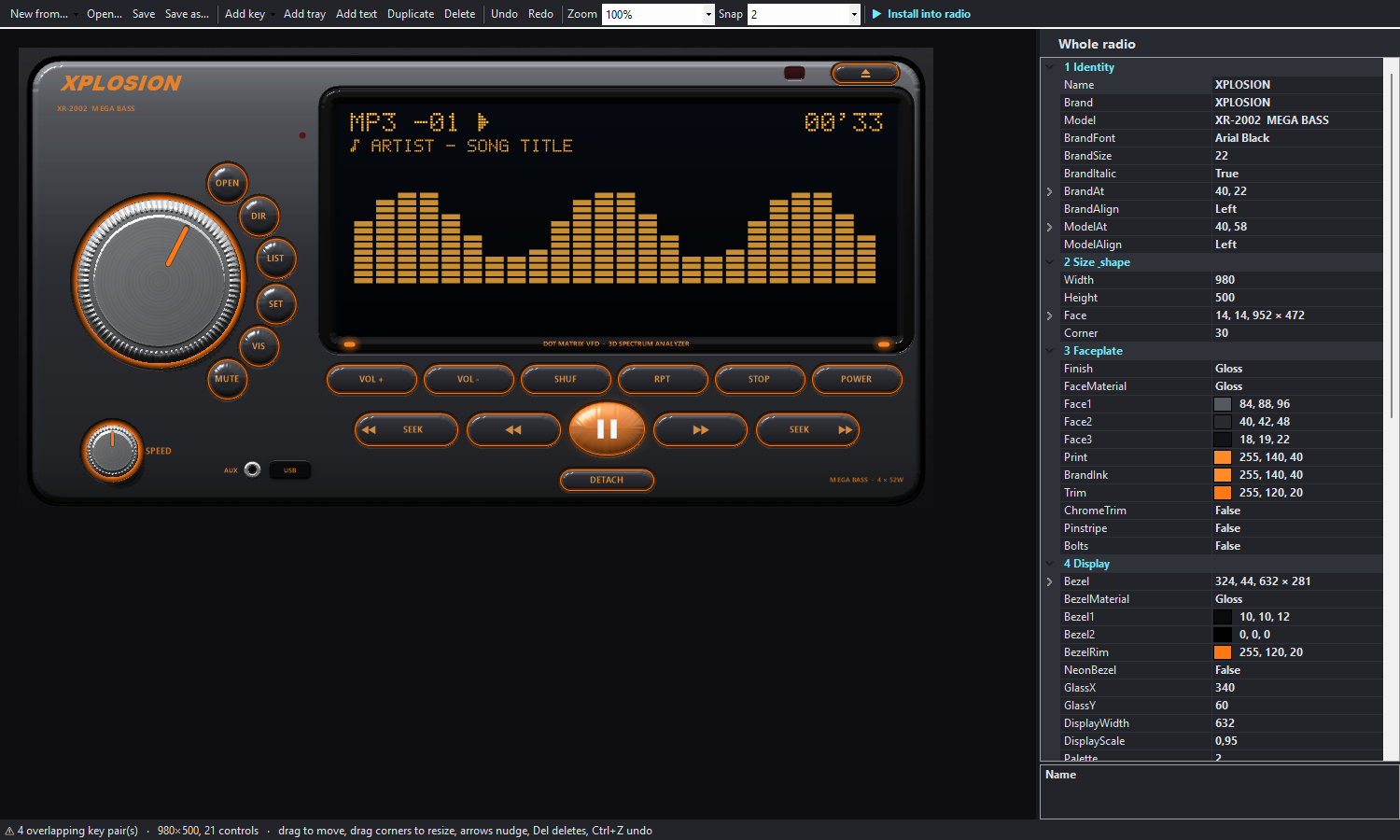
Radio Designer with a custom orange radio and its property list
RADIO DESIGNERCH 04
Build your own radio

Design a complete custom radio: its size and shape, finish and materials, colors and fonts, the display, and every key and knob. Then install it into Retro Radio in one click.

  • Drag & drop layout
  • Real lighting preview
  • Night view
  • 19 templates
  • Undo
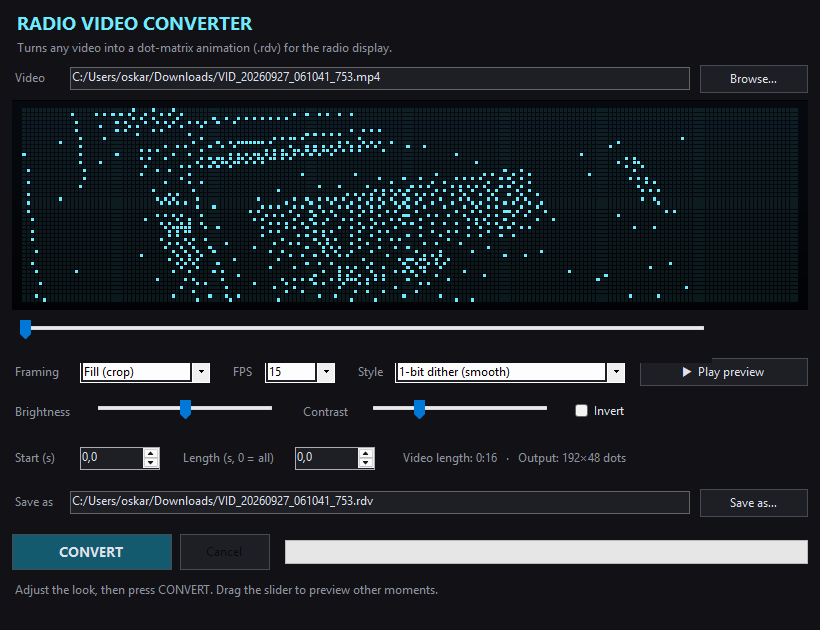
Radio Video Converter previewing a video as cyan dots
VIDEO CONVERTERCH 05
Videos for the radio display

Turn any video into a dot-matrix animation (.rdv) that plays on the radio's display, with a live preview while you tweak framing, brightness and dithering.

  • Live preview
  • Full color or one color
  • Crop or fit
  • Dithering styles
  • Uses ffmpeg
Install

Up and running in a minute

01

Download

Get RetroLauncher-win-x64.zip with the big button at the top.

02

Unzip & open

Extract the zip anywhere and open RetroLauncher.exe. Nothing else to install.

03

Pick programs

Press Install on the programs you want. The launcher keeps them up to date.

Windows may say "Windows protected your PC" the first time, because the programs aren't code-signed. Click More info → Run anyway.
FAQ

Questions